
Server modules for HybridForms
The HybridForms Server covers the complete form and workflow process. For specialized requirements, seven add-on modules are available: geodata from your existing GIS, a map server of your own, master data that updates automatically, PDF editing in the app, anonymous web forms, secure uploads from outside, and delegated user management.
Every module is fully integrated into HybridForms – no intermediate product, no second application, no separate login. You choose the modules independently of your edition and run them together with the HybridForms Server.
The seven modules at a glance
EnterpriseGeo: Maps, objects, and layers from your GIS/SDI server directly in the form
EnterpriseGeo connects your existing GIS or SDI server directly to HybridForms – ESRI/ArcGIS, GeoServer, and others. No intermediate widget, no second app.
Your benefit: Your teams work on site with the same maps and objects as in the office – and whatever they capture in the field is back in your GIS right away.
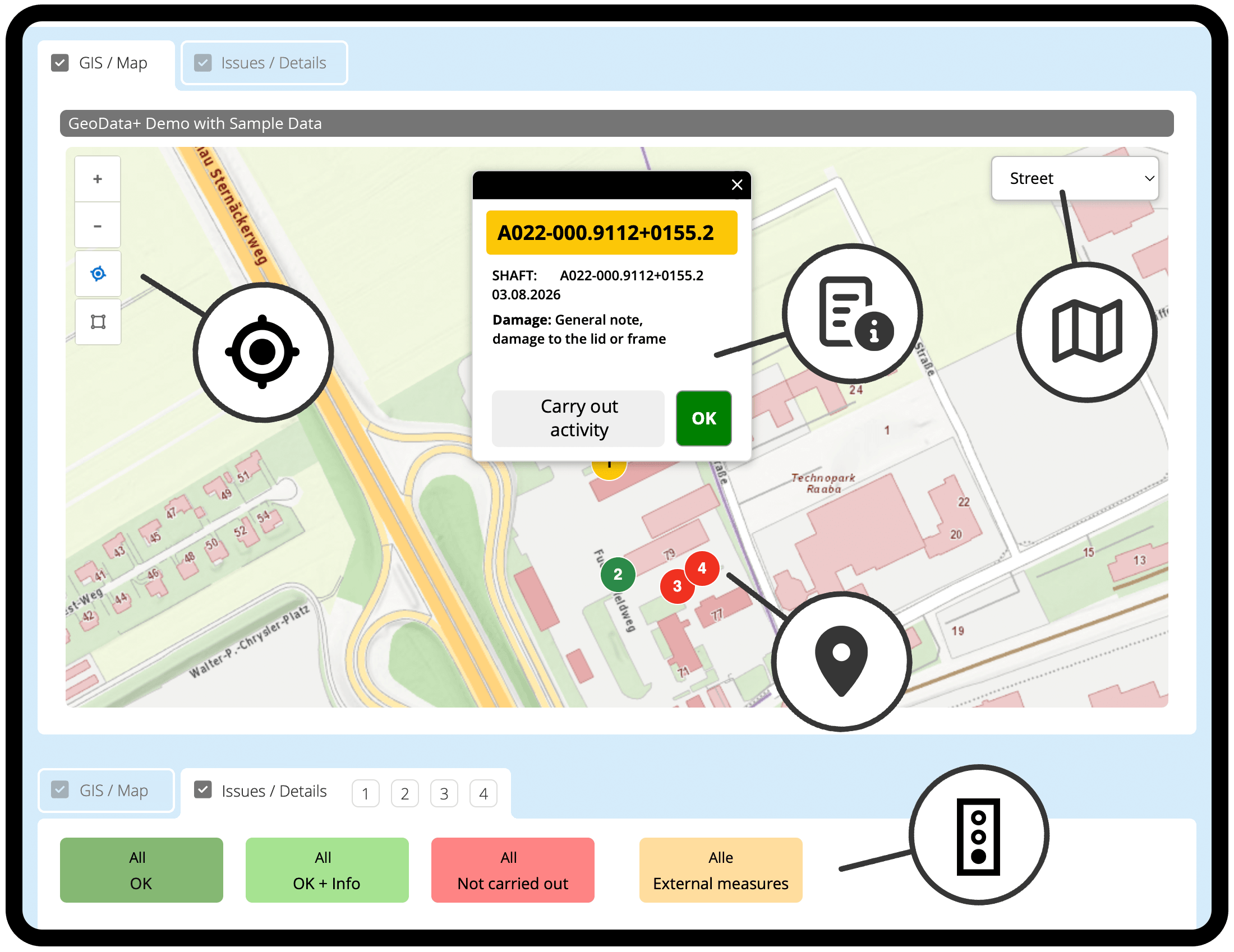
EnterpriseGeo inside the form: manholes appear as color-coded status points on your map. A tap opens the object data and the damage report – you confirm the task right in the form.
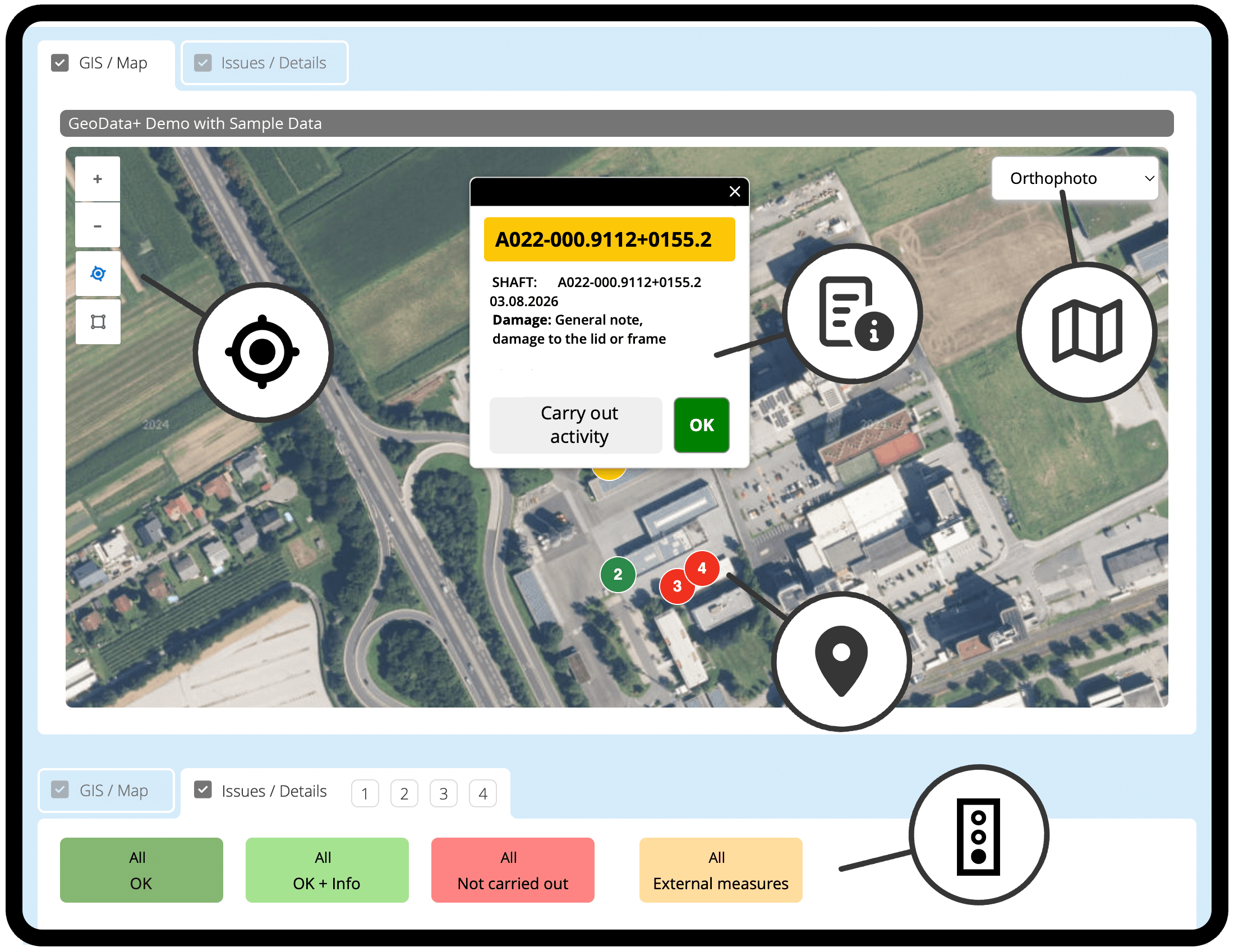
The same objects on the orthophoto: you switch the base map in the dropdown, while positions and status stay unchanged.
GeoServer: Your own map server based on Open GeoServer
GeoServer provides a fully configured map server based on open source – for cases where no GIS infrastructure exists, or where external use has to be kept safely separate from internal data.
Your benefit: A map service under your own control instead of dependency on external providers – ready to use alongside an existing GIS infrastructure as well.
CatalogSync: Keep master data up to date automatically
CatalogSync keeps catalogs such as product lists, address directories, or object data up to date automatically from external sources – and protects them from faulty imports at the same time.
Your benefit: Better and more current data quality instead of outdated or diverging records – with noticeably less upkeep in day-to-day operation.
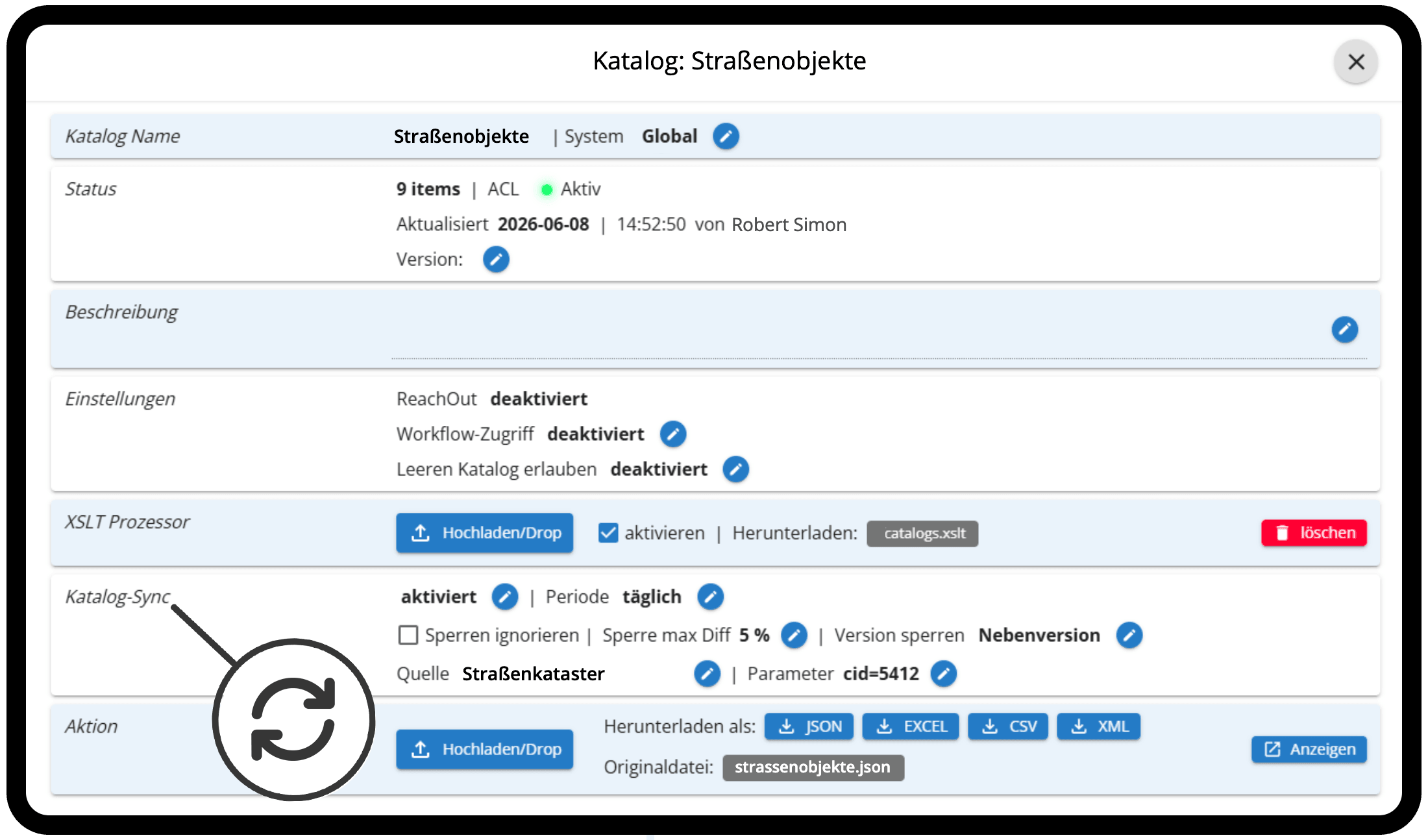
CatalogSync in the admin app: for each catalog you set the interval, the data source, and the threshold at which an import stops. The XSLT option adapts the data on every run.
AnnotatePDF: Edit PDF files directly in the HybridForms app and sync them with the server
AnnotatePDF lets you open, fill in, mark up, and annotate PDF files directly in the workflow of the HybridForms app.
Your benefit: PDF files are edited directly in the HybridForms app – instead of going through download, third-party program, and re-upload, offline in the field as well.
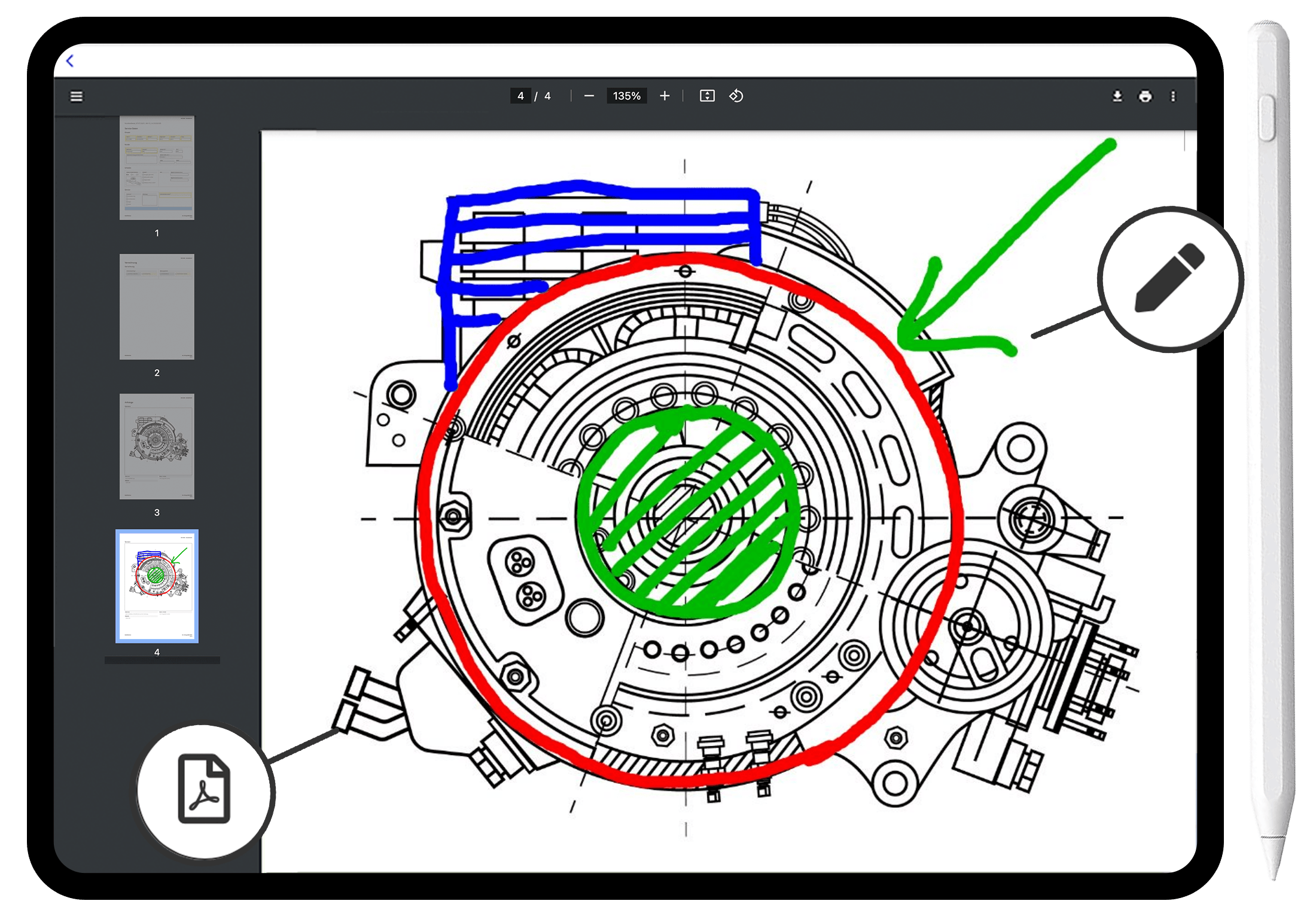
AnnotatePDF in the HybridForms app: a technical drawing is marked up with the pen right inside the form – circles, arrows, and highlighted areas, without downloading and without a second program.
ReachOut Server: Bring external people into internal processes securely via web form
ReachOut brings people without a HybridForms account and without any installation into internal processes – customers, citizens, patients, partners, or suppliers.
Your benefit: External people without a HybridForms account are brought in securely – with full network separation and without any interface into the internal network.
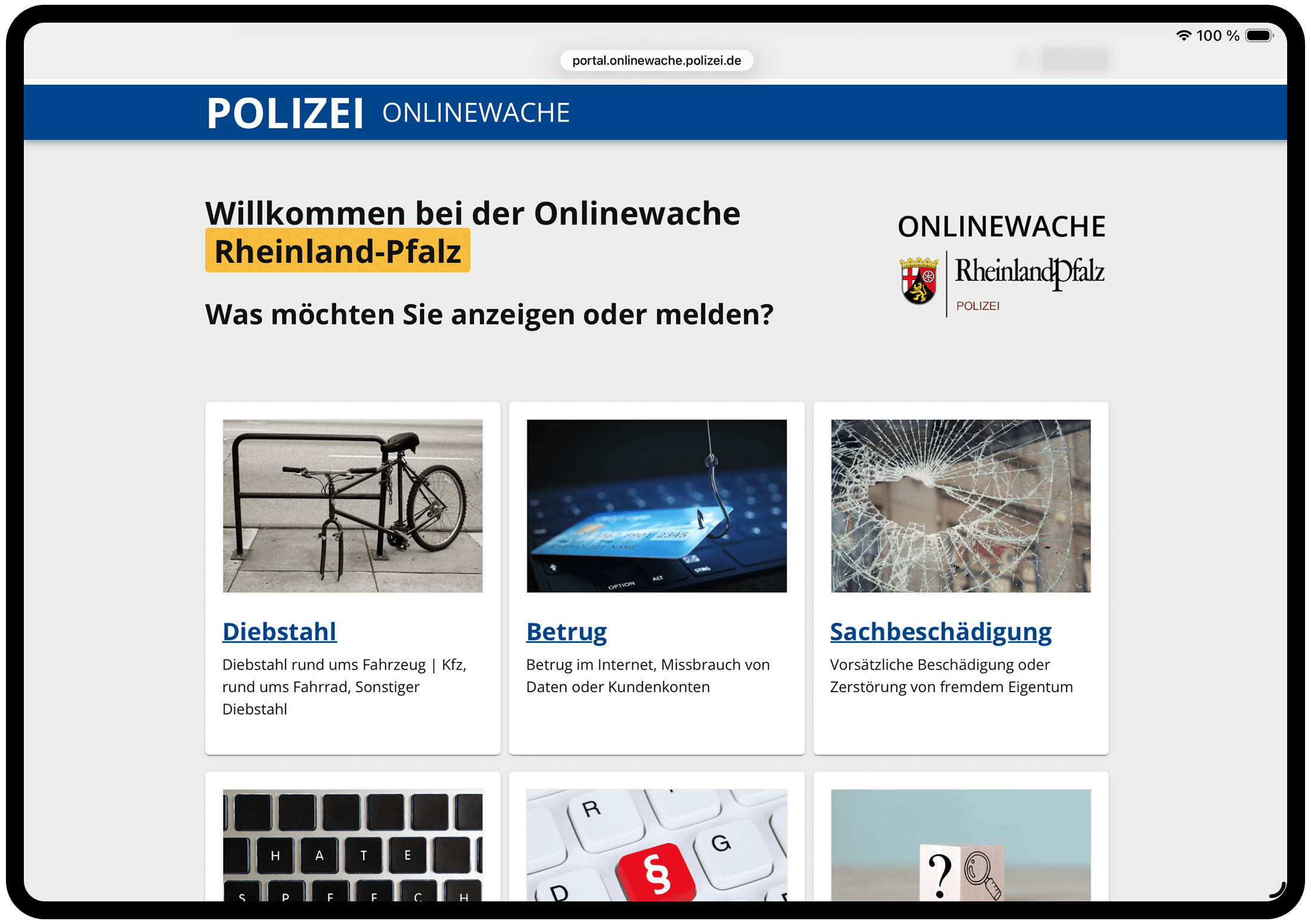
An example of the ReachOut Server in use: in the online police station of Rhineland-Palatinate, citizens first choose the type of offense – each tile leads to its own form.
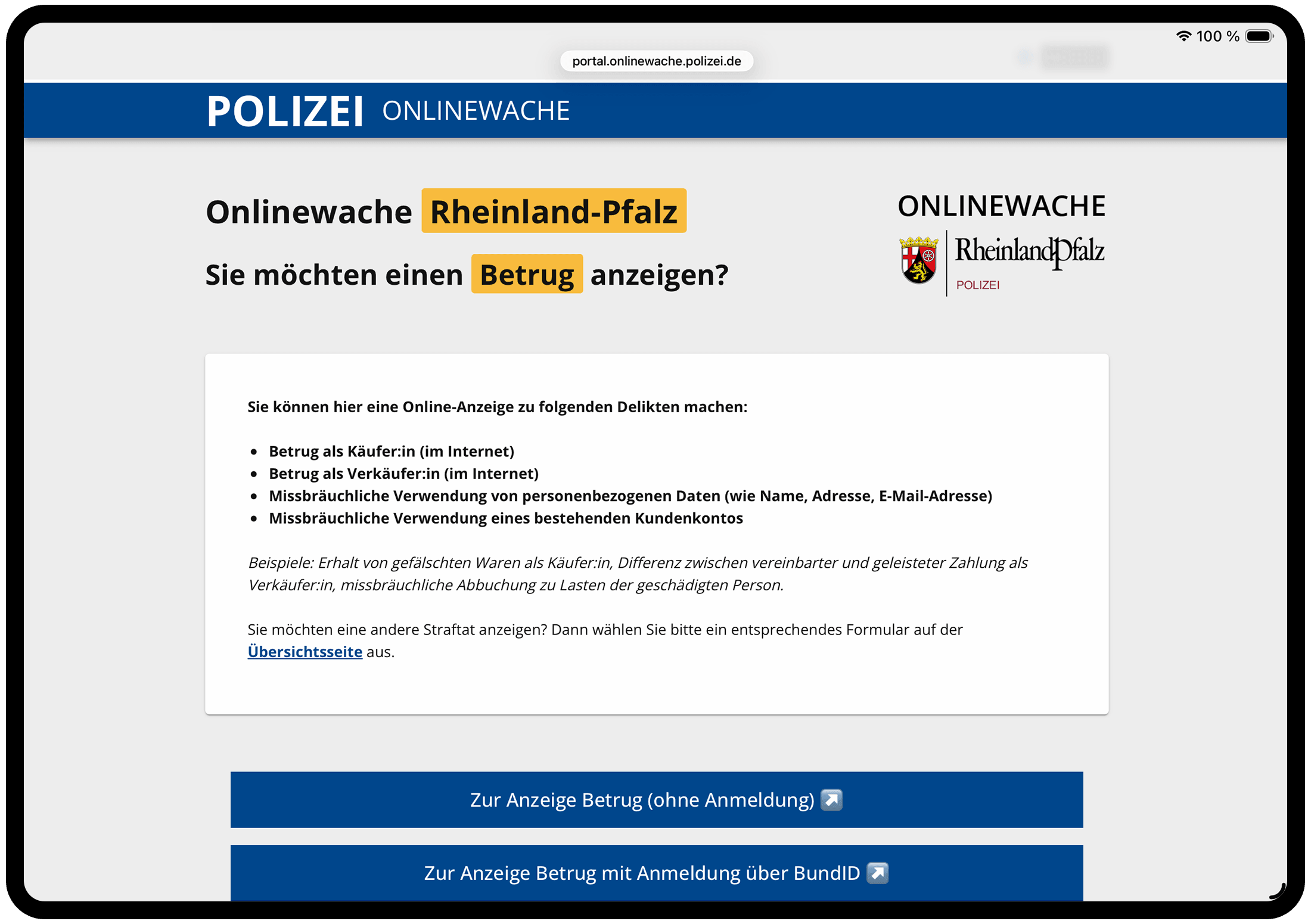
Also from the online police station: the »without login« route is exactly what the ReachOut Server is built for. Those who prefer to log in use BundID, for example; both routes feed into the same internal process.
DataWasher: Make external uploads safe by regenerating them
DataWasher protects internal systems when external people upload images, PDF files, audio, or video. Every incoming file is completely rebuilt before it reaches the internal environment.
Your benefit: External uploads reach the internal environment without malicious code and with the data fully usable – instead of becoming a gateway for scripts or injections.
GroupAdmin: delegated user and group management for large organizations in self-service
GroupAdmin takes the load off central administration in organizations with many departments, locations, or changing user groups.
Your benefit: Relief for central IT through delegated administration and clear responsibility in the departments.
Available with every edition
The modules are not tied to a specific edition. You add any module to the Business edition just as you would to Trusted.AI Enterprise and Trusted.AI Operator – and in the SaaS model to Shared, Shared.AI, and Dedicated. The edition determines AI capability and multi-tenancy, not which modules are available to you.